
About Click and Collect
Due to flooding in several areas, UNIQLO has temporarily extended the Click & Collect collection period to provide greater convenience for affected customers.
For customers who placed orders on 14 September 2026, the collection expiry date has been extended to 5 October 2026.
--------------------------------------------------------------------------------
Click and Collect is a delivery service for purchases made through UNIQLO Online, offering customers convenience and flexibility by allowing them to pick up their orders at a selected store without any additional shipping fee.
Customers can shop and purchase items on UNIQLO Online at any time, and the UNIQLO Online warehouse will deliver the products to the store of their choice at any branch nationwide.
Table of contents
*Order procedure
*Payment method
*Delivery lead time and Fee
*How to check delivery status
*How to receive
*Storage period
*FAQ
1. When proceeding to payment, under “1. Delivery Option”, please select “Click & Collect”.
2. Choose the store closest to your preferred location in the “Find a Store” field by entering the store name, sub-district, district, province, or postal code, then click “Select” for your desired branch.
3. Make payment by credit card or choose to pay at the store.
* Check the conditions for Pay in Store via this link. >> Click
4. Continue by selecting your payment method and confirming your order.
Payment can be made in two ways:
- Credit or Debit Card
- Pay in Store must be completed within 2 hours after confirming your order, and can be made by
- QR code scan (QR code payment via credit card is not supported at this time)
- Alipay, WeChat Pay
- Credit/debit cards such as Visa, Mastercard, JCB.
(We apologize that American Express is currently not accepted.)
*Note: Pay in Store option is available only during store operating hours (approximately 10:00 AM – 09:00 PM). Check store operating hours >> Click here
・Delivery will take 2–5 business days, counted from the date of purchase.
For example, if you place an order on December 18, you will receive the products around December 20–23.
・There is no packaging fee and no minimum purchase requirements.
When your order has been shipped,
you will receive an email notification once the items have been dispatched from the warehouse.
📜 Click here to view an example of the shipping notification email.
To check via your "Purchase History":
Go to the application [Purchase History] >> [Online]
📜 Click here to view an example of the Order History screen.
When your order is ready for pickup,
you can check the status via the pickup notification email or through your "Purchase History" in the application.
To check via the pickup notification email:
📜 Click here to view an example of the pick up notification email.
To check via your "Purchase History":
Go to the application [Purchase History] >> [Online] ”
The status will show "Ready to Pickup"
📜 Click here to view an example of the Order History screen.
Once you check the status and see that the item has arrived at the store, you can pick it up by presenting the pickup notification email to the store staff.
If you did not receive the pickup notification email, you may instead present your order history or your membership barcode in the application to collect your item.
If you do not pick up your order within 14 days, your order will be canceled and returned to the warehouse. A full refund will be issued to you via the original payment method you selected. Check the refund process and timeline at this link: Click here.
If you wish to extend the pickup period, please contact the store directly.
Find store contact numbers: Click here.
Can I modify the items in my order, the delivery details, or the store selected for pickup?
We regret to inform you that once your order has been successfully processed in the online system, no changes can be made. You will need to cancel the existing order and place a new one instead. Please check the cancellation procedure at this link: Click hereContact UNIQLO Thailand
 CHAT SUPPORT
Monday - Sunday: 9am - 6pm
(Including Public Holidays)
Monday - Sunday: 9am - 6pm
(Including Public Holidays)
Related services
App Benefits
The UNIQLO APP, Enjoy Online Shopping Experiences
Bulk Purchase
We are welcome to make bulk purchase order for company's uniform or a gift for celabrate on festival
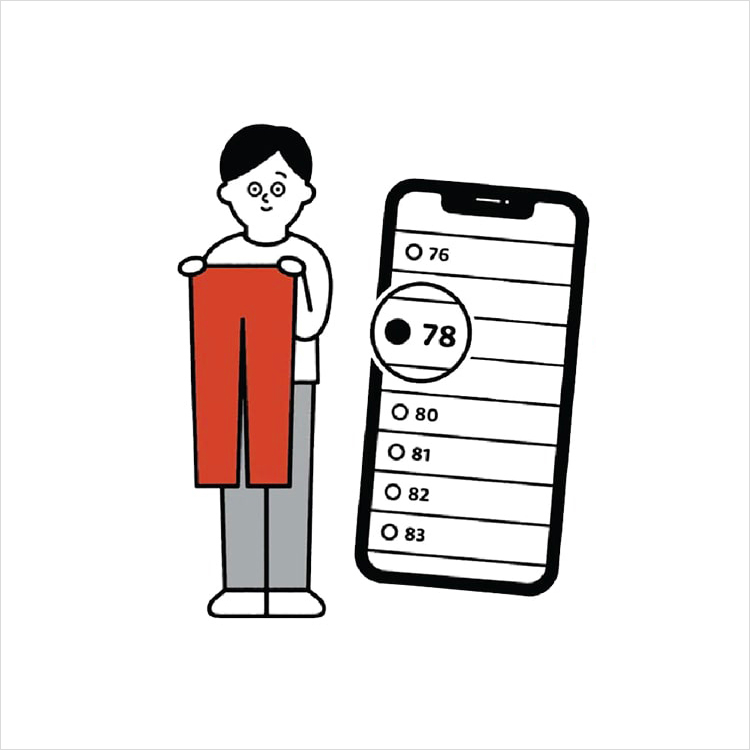
Online Alteration Service
We offer alteration to assist you both of item which purchased from store or online store. Please bring the items with the original receipt or the original tax invoice, contact any branch near home for getting the assistance